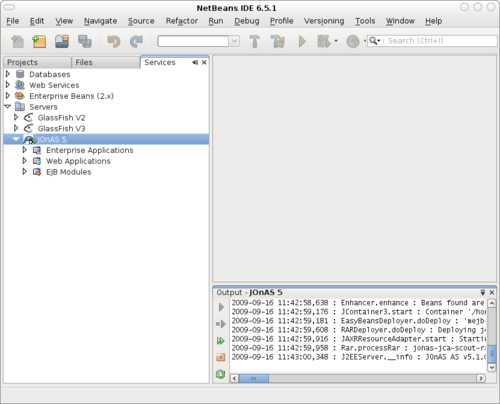
About
JOnbAS stands for JOnAS plug-in for NetBeans. JOnbAS is being developed as an open source project.
The project is looking for developers and testers so if you think you can help, don't hesitate to contact us.
News
September 16, 2009:
The 1.0.1 aplha build is out.
It now support JOnAS 5. See the release notes for details.
November 21, 2006:
The 0.8.1 beta build is out. See the release notes for details.
September 17, 2006:
The first 0.7.1 alpha build is out. Give it a try and report all the bugs you find.
Requirements
- NetBeans 6
- JOnAS/Tomcat 4.x or JOnAS 5.x
Features
- Starting and stopping the server
- Java and JSP debugging
- Generating the default server specific deployment descriptors
- Deploying, undeploying the Web, EJB and EAR modules
- Browsing the deployed WAR, EJB and EAR modules
- Using "deploy on save" option with partial deployment.
Installation
- Download the JOnbAS module - net-sourceforge-jonbas.nbm
- Start NetBeans
- Open the Plugins wizard (Tools > Plugins)
In the "Downloaded" tab press the "Add Plugin..." button
Select the file downloaded in the first step
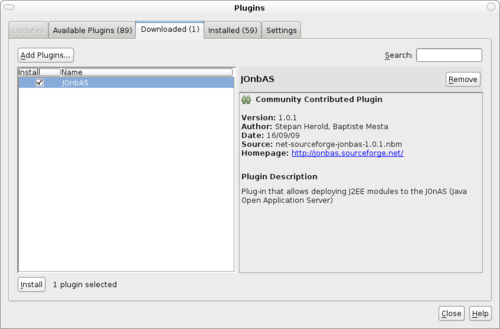
- Press "install" button
- Follow the farther instructions...
- If all went well you should be now able to register your JOnAS installation to the IDE.
- Right clic on "Servers" in the "Services" tab and press "Add Server..." button
Select JOnAS 4 or JOnAS 5 in the list.
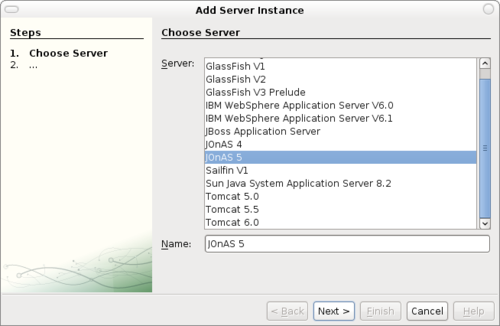
- Press "Next" and follow farther insctructions...
Your JOnAS server instance should be now registered in the server manager. Right clic on it and press "Start" to start it.
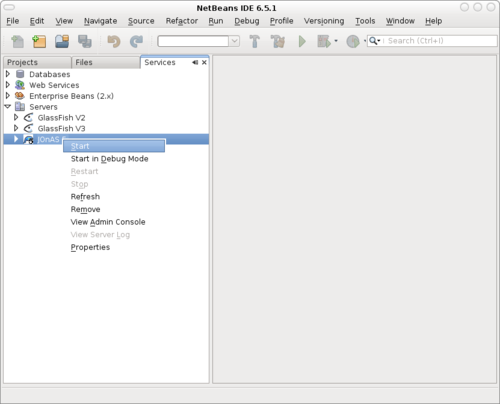
JOnAS is now ready to deploy your applications!